
FILTER
FILTER


Blackmagic Design - DaVinci Resolve Editor Keyboard
482,50 €
excl VAT
including eco-part : 0,90 €
Out of stock
Guarantee 3
years

Anais

Tristan
Do you need help?
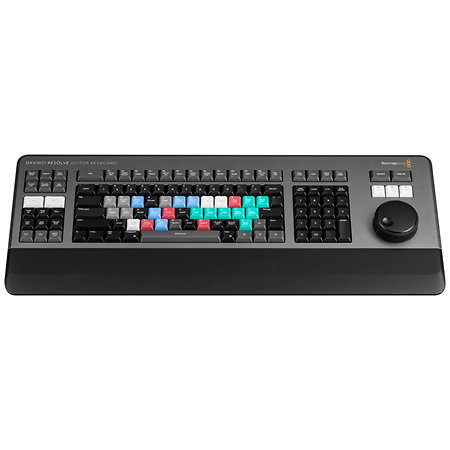
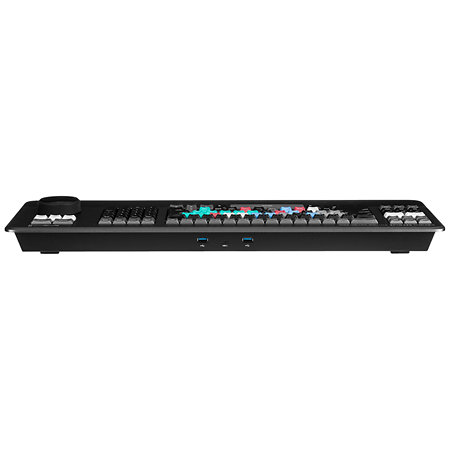
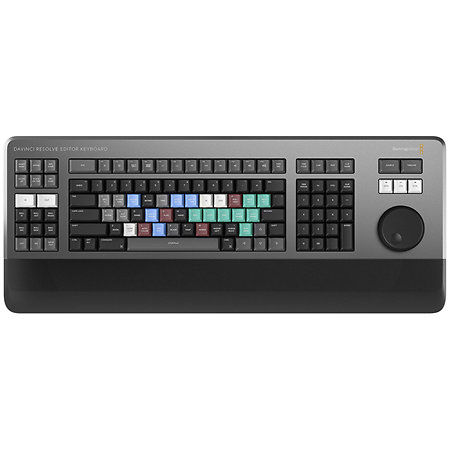
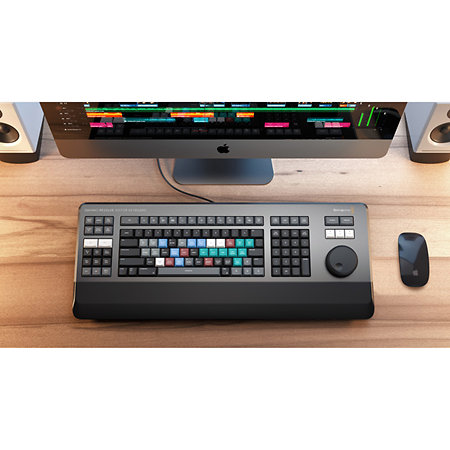
The Blackmagic Design DaVinci Resolve Editor Keyboard is a keyboard designed to speed up video editing. It combines a full QWERTY keyboard, a precision scroll wheel and dedicated controls for working directly in DaVinci Resolve.
ARTICLE N° 114767
Blackmagic Design - DaVinci Resolve Editor Keyboard
Blackmagic Design - DaVinci Resolve Editor Keyboard
482,50 €
excl VAT
including eco-part : 0,90 €
Out of stock
Guarantee 3
years
Anais
Tristan
Do you need help?
Presentation
Climbing with a mouse often imposes a rhythm. Editing with a dedicated tool completely changes the feeling of working. The Blackmagic Design DaVinci Resolve Editor Keyboard has been designed precisely with this in mind: to bring the editor closer to the timeline and turn every action into a direct gesture.
At the centre of the keyboard, the metal search wheel immediately catches the eye. It's not a simple control, but a real point of contact with the timeline. It lets you move quickly through shots, position the playback point precisely or adjust splices in real time. Once you've got the hang of it, it naturally replaces mouse movements, with a much smoother feel.
The keyboard is based on a full QWERTY layout, with a host of dedicated editing commands. The essential functions can be accessed without leaving the keyboard: playback, navigation, inserting, overwriting, adjusting splices or adding transitions. The way the keys are organised means you can work with both hands, with a logic similar to linear editing, where every gesture becomes instinctive.
Trim work in particular benefits from this approach. By using the Trim keys in combination with the scroll wheel, you can adjust the in and out points directly on the timeline, with frame-by-frame precision. This type of manipulation, usually slower with the mouse, becomes fast and natural here.
The keyboard has been designed for intensive use. Its machined metal construction gives an immediate feeling of solidity, while the keys offer a frank feedback similar to that of keyboards used in eSports. The integrated wrist rest means you can work over long sessions without excessive fatigue.
A dedicated timecode keypad also facilitates precise editing operations. You can now enter time or position values directly, without having to go through menus, which considerably speeds up certain repetitive tasks.
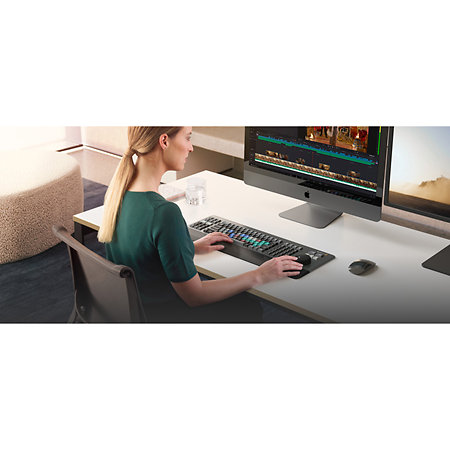
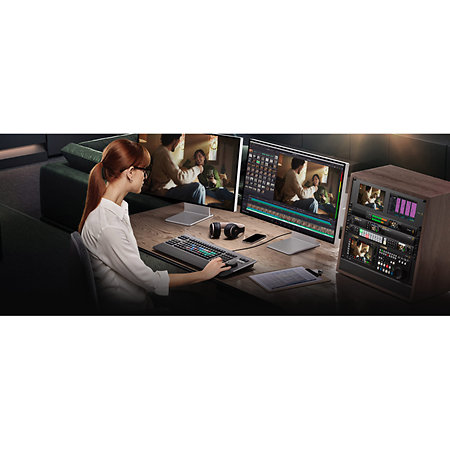
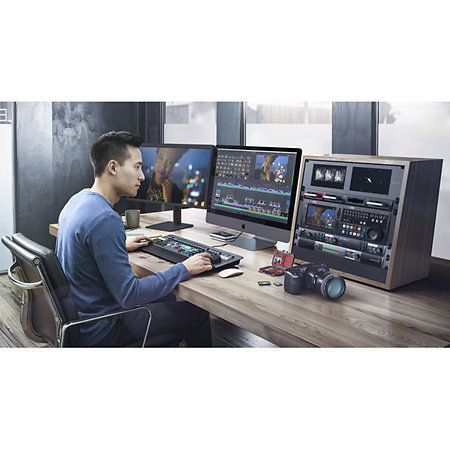
The DaVinci Resolve Editor Keyboard integrates naturally into a modern editing environment. It can be used directly on a desktop or integrated into a console for a more stable installation.
This keyboard doesn't just add shortcuts. It changes the way you edit by making every action more direct, faster and more physical, allowing you to stay focused on the pace and construction of the edit.
At the centre of the keyboard, the metal search wheel immediately catches the eye. It's not a simple control, but a real point of contact with the timeline. It lets you move quickly through shots, position the playback point precisely or adjust splices in real time. Once you've got the hang of it, it naturally replaces mouse movements, with a much smoother feel.
The keyboard is based on a full QWERTY layout, with a host of dedicated editing commands. The essential functions can be accessed without leaving the keyboard: playback, navigation, inserting, overwriting, adjusting splices or adding transitions. The way the keys are organised means you can work with both hands, with a logic similar to linear editing, where every gesture becomes instinctive.
Trim work in particular benefits from this approach. By using the Trim keys in combination with the scroll wheel, you can adjust the in and out points directly on the timeline, with frame-by-frame precision. This type of manipulation, usually slower with the mouse, becomes fast and natural here.
The keyboard has been designed for intensive use. Its machined metal construction gives an immediate feeling of solidity, while the keys offer a frank feedback similar to that of keyboards used in eSports. The integrated wrist rest means you can work over long sessions without excessive fatigue.
A dedicated timecode keypad also facilitates precise editing operations. You can now enter time or position values directly, without having to go through menus, which considerably speeds up certain repetitive tasks.
The DaVinci Resolve Editor Keyboard integrates naturally into a modern editing environment. It can be used directly on a desktop or integrated into a console for a more stable installation.
This keyboard doesn't just add shortcuts. It changes the way you edit by making every action more direct, faster and more physical, allowing you to stay focused on the pace and construction of the edit.
Other features
-
Blackmagic Design DaVinci Resolve Editor Keyboard
-
Professional editing keyboard for DaVinci Resolve
-
Full QWERTY keyboard optimised for editing
-
Metal search wheel with electronic clutch
-
Wheel control modes: Jog, Shuttle, Scroll
-
Dedicated transport controls
-
Edit keys: insert, append, overwrite, transitions
-
Real-time trimming functions with jog wheel
-
Trim keys for adjusting in and out points
-
Dedicated numeric keypad for timecode entry
-
Source tape and bin sorting keys
-
JKL buttons for playback and navigation
-
Viewer button for full-screen display
-
Multicam and Sync Bin editing functions
-
Audio level adjustment via thumbwheel
-
Quick addition and removal of transitions
-
Construction: machined metal chassis
-
Highly durable buttons (over one million activations)
-
Integrated wrist rest
-
Installation: desktop or console integration
-
Folding feet for tilting
-
Includes DaVinci Resolve Studio activation key
-
Dimensions: 584 x 223 x 53 mm
-
Weight: 2.3 kg
To find out more...
Operating systems :
- Mac icon
- Mac 13.0 Ventura,
- Mac 14.0 Sonoma or later.
- Windows Icon
- Windows 10 Creators Update
- Windows 11
- Windows 11 for ARM
- Rocky Linux icon
- Rocky Linux 8.6
- Mac icon
- Mac 13.0 Ventura,
- Mac 14.0 Sonoma or later.
- Windows Icon
- Windows 10 Creators Update
- Windows 11
- Windows 11 for ARM
- Rocky Linux icon
- Rocky Linux 8.6
Spotlight on

Equivalent products


Blackmagic Design - DaVinci Resolve Editor Keyboard
482,50 € excl VAT