
FILTER
FILTER


Cycling 74 - Max 9
332,50 €
excl VAT
In Stock
Usually ships within 24h
+infos

Anais

Tristan
Do you need help?
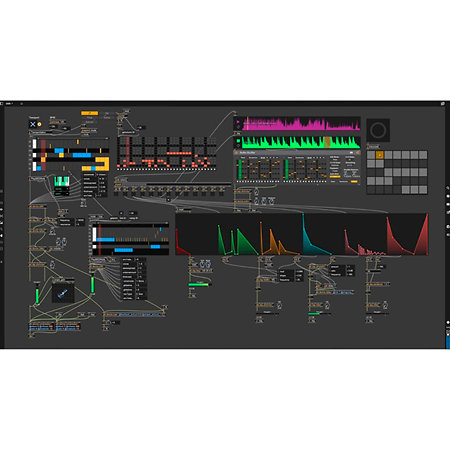
Max 9, the latest version of Cycling '74's most powerful sound and visual creation software. Max 9 is an open creative environment for shaping your music, sounds and interactive visuals. Create custom instruments, audio effects or graphics systems, unleashing unlimited potential for experimentation and sound design in DAW. Licence available for download.
ARTICLE N° 111375
Cycling 74 - Max 9
Cycling 74 - Max 9
332,50 €
excl VAT
In Stock
Usually ships within 24h
+infos
Anais
Tristan
Do you need help?
Presentation
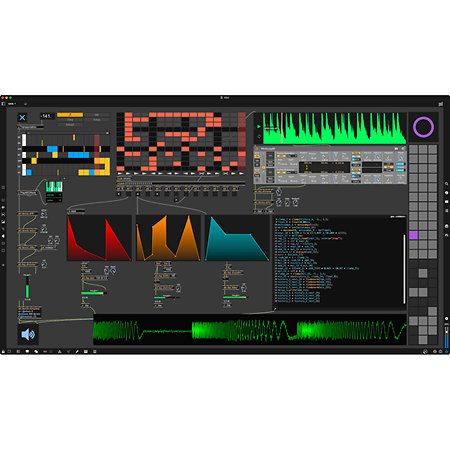
Max 9 is an open development platform that lets you create custom music, audio and visual software. It seamlessly integrates audio, live video, data, real-time graphics and code, all within a single creative space. It's the ideal tool for creating complete interactive music experiences with visualisation, ready-to-use interface elements and high-quality audio tools.
For MAO creators, Max 9 opens up immense horizons:
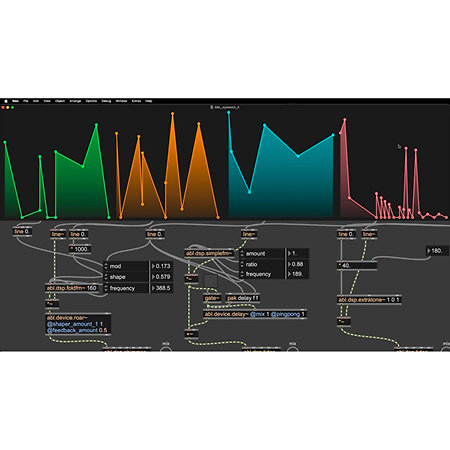
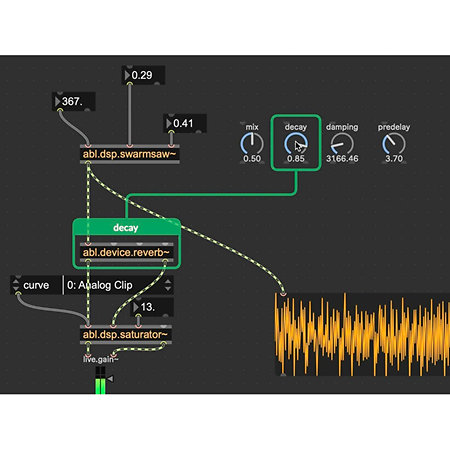
- Advanced Sound Design: You get a complete library of building blocks for synthesis, effects and sampling (MSP). Max 9 includes a new collection of audio objects based on the Ableton ABL library, allowing you to explore striking distortion effects with abl.device.roar~ or deep reverbs with abl.dsp.shimmer~. Innovative features such as MC facilitate multi-channel patching for spatialisation and complex sound design. There's also a new loudness~ object, based on the EBU R 128 standard.
- Interactive Visuals and Graphics : Going beyond the traditional Jitter matrix, Max 9 offers a new approach to representing 3D geometry data, with new objects for manipulating and refining your 3D graphics in real time. The jit.fx library gives you a full range of shader-based processes for interactive visual effects, including colour adjustments, stylised manipulations, distortions, blurs, blending and time delays. You can even integrate user interfaces directly into your windows with jit.ui objects, or edit 3D scenes with built-in widgets. Max 9 also introduces improved scene rendering with global illumination, order-independent transparency and new effect passes for adding texture and grain.
- Interactivity and Custom Control: Easily design custom user interfaces with buttons, sliders, scopes and more. Connect and map any hardware to Max functionality. Native support for MIDI, serial and OSC makes Max ideal for assembling systems incorporating a variety of instruments and devices, whether in the studio or on stage. A new global preference simplifies OSC integration, making all parameter objects available via OSC messages. Parameter Connect lets you link UI objects to attributes without cables, supporting ABL, jit.fx, Gen and jit.gl.slab.
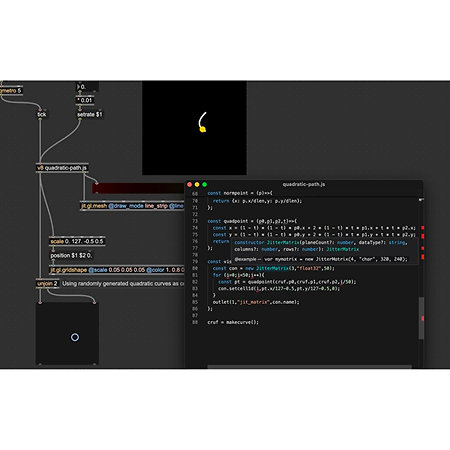
- Code integration and flexibility: patching in Max is even more powerful with text code integration. Max 9 offers a fast, modern V8 Javascript engine, with new objects such as v8, v8ui and v8.codebox to exploit modern features (ES6+) and benefit from significant performance improvements. The codebox allows you to edit JS, Gen and Node for Max, as well as dictionary and coll objects. Max is also enhanced with extensions via Javascript, NodeJS, Lua and C/C++. The Gen environment lets you explore the low-level DSP using visual patching. The Gen and RNBO tools offer a unique development capability for audio hardware and other platforms.
- Enhanced Workflow: Max 9 brings significant enhancements to the environment, such as the List View for quickly filtering, searching and editing objects. Syntax Coloring makes patch playback more comfortable. The new Global Record button in the toolbar lets you capture any audio from Max at any time. The Preset Mixing function lets you interpolate presets in 2D space. The Max Window input field now acts as a command line interface (REPL) for interacting with your patch. For learning purposes, Illustration Mode displays the patch in slow motion, useful for understanding how it works or debugging it.
Max 9 is primarily aimed at musicians and composers looking to go beyond the limits of traditional DAWs, keen to explore automation, interaction, sound design and much more in an open application. These artists use Max to develop custom sequencers, unique synthesizers, sample collages or signature effects that define their sound.
For example, a musician could create a complete live performance system where playing a virtual instrument simultaneously triggers 3D generative visual effects, while controlling lights via OSC and recording the whole thing in real time. A sound designer could design a unique algorithmic reverb effect, incorporating Ableton ABL distortion elements and complex modulations, and then export this module for use in a gaming environment or other audio hardware. For education, Max is an exceptional platform for exploring sound, automation and interactivity, ideal for student projects.
For MAO creators, Max 9 opens up immense horizons:
- Advanced Sound Design: You get a complete library of building blocks for synthesis, effects and sampling (MSP). Max 9 includes a new collection of audio objects based on the Ableton ABL library, allowing you to explore striking distortion effects with abl.device.roar~ or deep reverbs with abl.dsp.shimmer~. Innovative features such as MC facilitate multi-channel patching for spatialisation and complex sound design. There's also a new loudness~ object, based on the EBU R 128 standard.
- Interactive Visuals and Graphics : Going beyond the traditional Jitter matrix, Max 9 offers a new approach to representing 3D geometry data, with new objects for manipulating and refining your 3D graphics in real time. The jit.fx library gives you a full range of shader-based processes for interactive visual effects, including colour adjustments, stylised manipulations, distortions, blurs, blending and time delays. You can even integrate user interfaces directly into your windows with jit.ui objects, or edit 3D scenes with built-in widgets. Max 9 also introduces improved scene rendering with global illumination, order-independent transparency and new effect passes for adding texture and grain.
- Interactivity and Custom Control: Easily design custom user interfaces with buttons, sliders, scopes and more. Connect and map any hardware to Max functionality. Native support for MIDI, serial and OSC makes Max ideal for assembling systems incorporating a variety of instruments and devices, whether in the studio or on stage. A new global preference simplifies OSC integration, making all parameter objects available via OSC messages. Parameter Connect lets you link UI objects to attributes without cables, supporting ABL, jit.fx, Gen and jit.gl.slab.
- Code integration and flexibility: patching in Max is even more powerful with text code integration. Max 9 offers a fast, modern V8 Javascript engine, with new objects such as v8, v8ui and v8.codebox to exploit modern features (ES6+) and benefit from significant performance improvements. The codebox allows you to edit JS, Gen and Node for Max, as well as dictionary and coll objects. Max is also enhanced with extensions via Javascript, NodeJS, Lua and C/C++. The Gen environment lets you explore the low-level DSP using visual patching. The Gen and RNBO tools offer a unique development capability for audio hardware and other platforms.
- Enhanced Workflow: Max 9 brings significant enhancements to the environment, such as the List View for quickly filtering, searching and editing objects. Syntax Coloring makes patch playback more comfortable. The new Global Record button in the toolbar lets you capture any audio from Max at any time. The Preset Mixing function lets you interpolate presets in 2D space. The Max Window input field now acts as a command line interface (REPL) for interacting with your patch. For learning purposes, Illustration Mode displays the patch in slow motion, useful for understanding how it works or debugging it.
Max 9 is primarily aimed at musicians and composers looking to go beyond the limits of traditional DAWs, keen to explore automation, interaction, sound design and much more in an open application. These artists use Max to develop custom sequencers, unique synthesizers, sample collages or signature effects that define their sound.
For example, a musician could create a complete live performance system where playing a virtual instrument simultaneously triggers 3D generative visual effects, while controlling lights via OSC and recording the whole thing in real time. A sound designer could design a unique algorithmic reverb effect, incorporating Ableton ABL distortion elements and complex modulations, and then export this module for use in a gaming environment or other audio hardware. For education, Max is an exceptional platform for exploring sound, automation and interactivity, ideal for student projects.
Features
Application
Studio
Downloadable version
Yes
Compatibility
MacOS, Windows
Unique product / bundle
Single product
Other features
-
Cycling '74 Max 9
-
Electronic licence: you will receive a serial by e-mail and will need to download the software
-
Visual patching environment for music, audio and visual creation
-
Complete audio library (MSP): synthesis, effects, sampling
-
ABL objects: audio effects from the Ableton library (e.g. abl.device.roar~, abl.dsp.shimmer~)
-
Visual tools and real-time graphics (Jitter): live video, 2D/3D graphics
-
New Jitter Geometry for 3D data manipulation
-
jit.fx library for shader-based real-time image effects
-
Multi-channel patching (MC) for spatialisation and complex sound design
-
Text-based code integration with a new, fast and modern V8 Javascript engine
-
v8, v8ui, v8.codebox objects for ES6+ Javascript and enhanced performance
-
Customisable user interface with buttons, sliders, oscilloscopes, etc.
-
Code generation tools (Gen, RNBO) for low-level DSP and deployment on other platforms
-
Integration features for Ableton Live (Max for Live)
-
Extended hardware and software connectivity (MIDI, serial, OSC, Parameter Connect)
-
Workflow enhancements: List View, Syntax Coloring, Global Record Button, Preset Mixing, REPL
-
Learning and debugging tools: Illustration Mode, online documentation
-
Compatibility :
-
Audio and MIDI hardware
-
HID devices (via hid object)
-
Communication: MIDI, OSC (Open Sound Control), serial
-
External software: Ableton Live (via Max for Live and ABL objects)
-
Programming languages: Javascript (V8, ES6+), Node.js, Lua, C/C++
-
File formats: Various media and files for audio/video processing
-
Extensions: Max Packages for additional functionality
-
System requirements :
-
macOS 11.0 or later
-
Apple Silicon processor
-
Intel® Core™2 Duo processor. Intel® Core™ i5 processor or higher recommended.
-
4 GB of RAM (8 GB or more recommended).
-
Approximately 3 GB of disk space on the system drive for basic installation.
-
Windows 10 (version 22H2) or Windows 11 (version 22H2 or higher)
-
Intel® or AMD 64-bit multi-core processor. Intel® Core™ i5 processor or higher recommended.
-
4 GB RAM (8 GB or more recommended)
-
Approximately 2 GB of disk space on the system drive for basic installation.
To find out more...
Electronic licence only, no boxed version available.
The software must be downloaded from the publisher's website.
Authorisation by iLok key possible but not obligatory.
The software must be downloaded from the publisher's website.
Authorisation by iLok key possible but not obligatory.
You may also like


Spotlight on

Equivalent products



Cycling 74 - Max 9
332,50 € excl VAT