
FILTER
FILTER



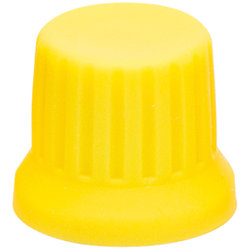
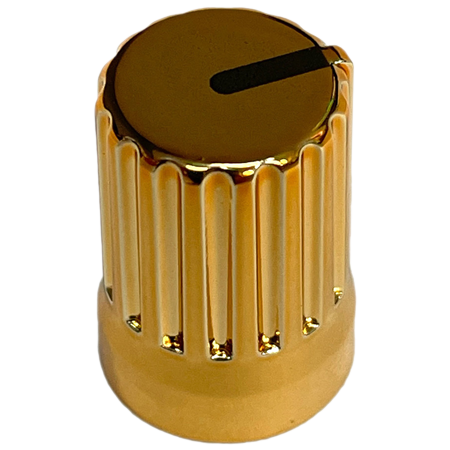
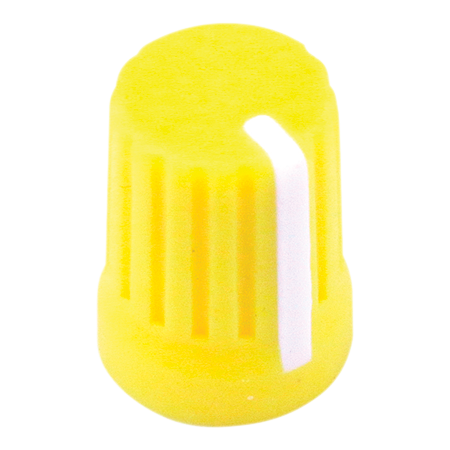
DJ TechTools - Chroma Caps Super Knob V2 Yellow
2,50 €
excl VAT
including eco-part : 0,07 €
In Stock
Shippable immediately
+infos

Quentin

Léon
Do you need help?
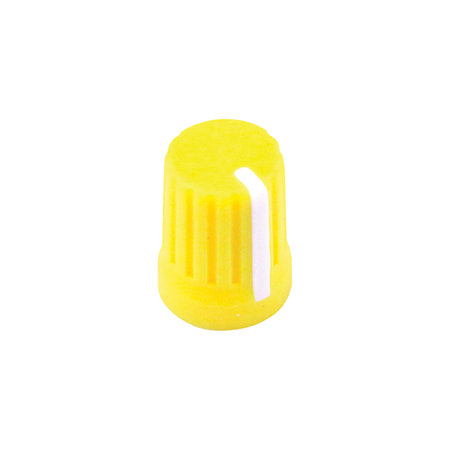
Completely redesigned, more playable buttons. Every detail has been improved in the new design to enhance playability, including: rounded corners and softer rubber for increased comfort, bright colours with large clear markers for better visibility, and increased widths for a more natural grip. Customise your controllers and DJ mixers with the Super Knob V2 in Yellow
ARTICLE N° 69820
DJ TechTools - Chroma Caps Super Knob V2 Yellow
DJ TechTools - Chroma Caps Super Knob V2 Yellow
2,50 €
excl VAT
including eco-part : 0,07 €
In Stock
Shippable immediately
+infos
Quentin
Léon
Do you need help?
Presentation
The Chroma Caps Super Knob V2 from DJ TechTools is a high-end replacement potentiometer designed for use with a variety of popular DJ controllers and mixers.
Its soft rubber surface provides a distinctive grip.
Available in a variety of colours, the Chroma Caps Super Knob V2 feature clear, highly visible markings.
People commonly use Chroma Caps as: DJ Knobs, Mixer Knobs, on DJ mixing consoles, as replacement knobs, as Pioneer knobs, as EQ knobs, and as Potentiometer knobs. Chroma are excellent DJ accessories
Product benefits:
- Bright colours stand out in clubs and on stage
- Soft rubber exterior for extra grip
- Every detail redesigned for better performance
Its soft rubber surface provides a distinctive grip.
Available in a variety of colours, the Chroma Caps Super Knob V2 feature clear, highly visible markings.
People commonly use Chroma Caps as: DJ Knobs, Mixer Knobs, on DJ mixing consoles, as replacement knobs, as Pioneer knobs, as EQ knobs, and as Potentiometer knobs. Chroma are excellent DJ accessories
Product benefits:
- Bright colours stand out in clubs and on stage
- Soft rubber exterior for extra grip
- Every detail redesigned for better performance
Other features
-
DJ TechTools Super Knob Lemon Yellow
-
Yellow version potentiometer
-
Ideal for customising your controllers or mixing consoles
-
Dense rubber coating
-
Rounded shape
-
Large, high-visibility index
-
Good grip
-
Super Knob base diameter: 14.2 mm x 19.6 mm high
-
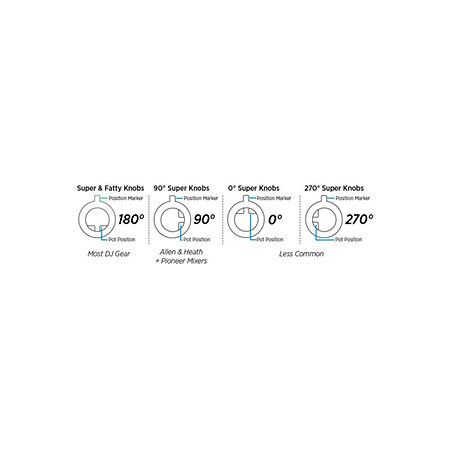
Compatible with DDJ SX2, DDJ SR, Kontrol S4 MKII, Kontrol S2 MKII, Kontrol S8, Kontrol Z2, Sixty Two
To find out more...
Check compatibility with your controller at https://store.djtechtools.com/collections/chroma-caps-cables/products/chroma-caps-knobs-and-faders
How do you replace your caps?
We've seen enough people bend or break their equipment. The guide below is a technique to avoid any mishaps when replacing your faders or encoders. Please take your time and be careful when removing the knobs.
- (We find it easier to put the controller on the floor or a lower surface to get a better view and pull straight up).
- You don't want to damage your existing buttons. The best way to do this is to use a small piece of cardboard about 1 inch square (I use the top of a cereal box as it's flexible enough to bend around the button. (A thick towel can also work).
- If you can't grip it with your hands, don't be afraid to use a pair of grips, pliers etc. This is where the cardboard/towel you got in #2 comes in handy.
- Put a thick card (business cards work best!) between your equipment and the cap when installing. This will ensure that you don't press too hard on the caps, which could cause the cap to rub against the face of your equipment. (If you notice that the cap is rubbing, pull it up slightly!)
Note: this is particularly important on Pioneer DJ equipment!
How do you replace your caps?
We've seen enough people bend or break their equipment. The guide below is a technique to avoid any mishaps when replacing your faders or encoders. Please take your time and be careful when removing the knobs.
- (We find it easier to put the controller on the floor or a lower surface to get a better view and pull straight up).
- You don't want to damage your existing buttons. The best way to do this is to use a small piece of cardboard about 1 inch square (I use the top of a cereal box as it's flexible enough to bend around the button. (A thick towel can also work).
- If you can't grip it with your hands, don't be afraid to use a pair of grips, pliers etc. This is where the cardboard/towel you got in #2 comes in handy.
- Put a thick card (business cards work best!) between your equipment and the cap when installing. This will ensure that you don't press too hard on the caps, which could cause the cap to rub against the face of your equipment. (If you notice that the cap is rubbing, pull it up slightly!)
Note: this is particularly important on Pioneer DJ equipment!
You may also like
Spotlight on

Equivalent products
Tops of the brand
DJ TechTools - Chroma Caps Super Knob V2 Yellow
2,50 € excl VAT