
FILTER
FILTER
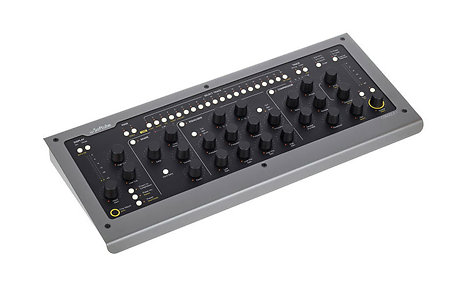
Softube - Console 1 mkII
This product is no longer available for sale




415,83 €
excl VAT
including eco-part : 0,90 €
Guarantee 3
years

Quentin

Léon
Do you need help?
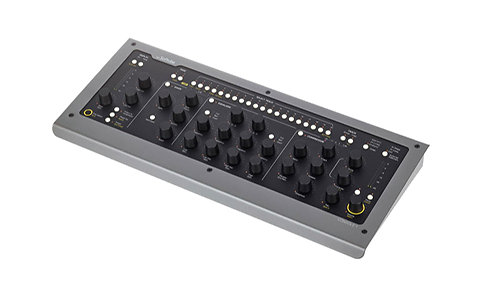
Console 1 MKII Softube is a hybrid mixer.
ARTICLE N° 55351
Softube - Console 1 mkII
Softube - Console 1 mkII
415,83 €
excl VAT
including eco-part : 0,90 €
Guarantee 3
years
Quentin
Léon
Do you need help?
Features
Audio I/O
No
Other features
-
Integrated hybrid mixing Solution hardware /
-
software Analog slice Simulation first class, officially approved by SSL
-
Fashion intuitive, touch
-
Corrector four-band compressor, emulated console saturation section Dynamic Shaper owner (expander / gate and transient shaper)
-
Compatible with all major DAW
-
Sidechain and parallel compression with any compressor Softube
-
Customizing the slice with all plugin Softube or Universal Audio
-
Other consoles available: Solid State Logic XL 9000K, British Class A, Summit Audio Grand Channel
-
history management (undo) the
-
settings preset Management
To find out more...
The new console mk2 1
hardware Evolution
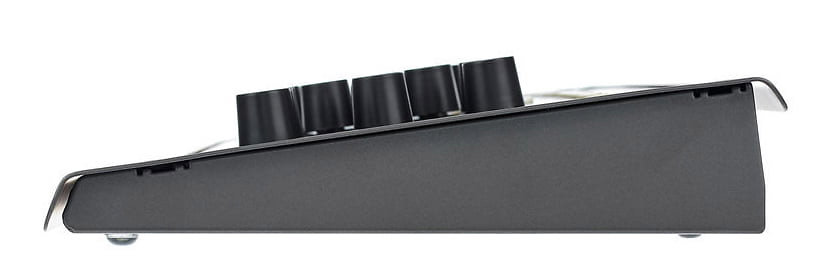
hardware side, the construction is of the same quality as always inspiring solidity and brightness of LEDs has been increased.
Evolution of
software A notable development is compatible with the plug-ins Universal Audio, which can thus replace each console component 1 (Gate, EQ, compressor, etc.), for a total of 60 plug-ins Softube and Universal Audio accesible in Console.
Console 1 works ave any audio software on the market, but some have special integration as Presonus Studio One and Cakewalk SONAR, with more to come. In this case, 1 console can control some audio software such as track selection, volume, send levels, pan, solo and mute.
SSL 4000E console
The slice proposed modeled console includes corrector E 242, the compressor, and high-pass filters and low-pass of the famous British console. Also present, a reproduction of the harmonic distortion generated by this in the event of slight saturation console, which adds its Softube dynamics processing Dynamic Shape-a comprising expander / gate and transient shaper. Other types of "channel strip" will be offered later.
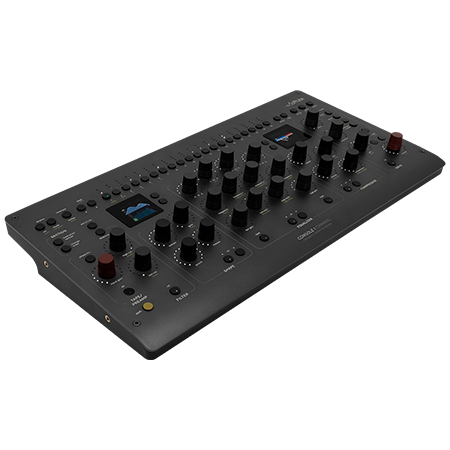
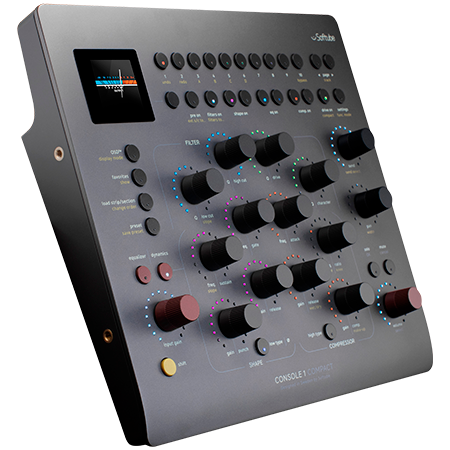
The hardware connects and is powered via USB, and a robust but elegant construction allows not only the control of integrated treatment settings, but also to change slice, whether to display the software load of other plug-ins Softube in the chain, to group channels, among other possibilities. LED peak meters and those located around each button provides instant visual feedback and allows to mix without looking at the computer, to the near workflow mixing conditions in analog environment.
Workflow Console 1
The insertion of the plug-in in the console 1 (s) channel (to) of the DAW plug-in route the signal in this channel to the mixer console 1 and returns it. Just press a track select button on the console controller 1, then adjust the settings by turning the knobs, and go! The slice of complete virtual console is available and each item has a knob or button. Very few functions are triggered via menu.
Other consoles
It is also possible to add other emulations consoles like the Solid State Logic XL 9000K, the British Class A or Summit Audio Grand Channel, all in Console version 1. Back
visual
The display the "on-screen display" (OSD) provides a detailed visual feedback settings of the selected channel. At the bottom of the window, the peak meter displays the levels of the channel bank selected (unlimited number of banks, each with 20 channels). But the control surface also gives a lot of visual indications: LED rings show the position of the buttons, and peak meters indicate the input and output levels, and the gate and compressor gain reduction. For a totally analog mixing sensation, disable OSD and use only your ears!
Additional functions
Each channel can be customized by adding any EQ or compressor or Softube Universal Audio. If you are, for example, in possession of Tube-Tech CL 1B Compressor and prefer to use a track rather than that of the Solid State Logic SL 4000 E, simply substitute.
Besides the classic features like Solo, Mute and Phase Invert, the system provides options for easy mixing from the control surface. As the channel grouping to adjust settings simultaneously, or changing the order of the processing sections. The settings can be copied from one channel to another, or only the desired sections. It is also possible to use the parallel compression, and to route an external sidechain signal in the gate or the compressor. You can save and recall presets for all channel or just sections.
The history feature is an "undo" function to return to your previous actions parameter setting. Very few audio software offers a function "undo" for the settings plug-in.
Note that the system works and the settings without the control surface is connected.
hardware Evolution
hardware side, the construction is of the same quality as always inspiring solidity and brightness of LEDs has been increased.
Evolution of
software A notable development is compatible with the plug-ins Universal Audio, which can thus replace each console component 1 (Gate, EQ, compressor, etc.), for a total of 60 plug-ins Softube and Universal Audio accesible in Console.
Console 1 works ave any audio software on the market, but some have special integration as Presonus Studio One and Cakewalk SONAR, with more to come. In this case, 1 console can control some audio software such as track selection, volume, send levels, pan, solo and mute.
SSL 4000E console
The slice proposed modeled console includes corrector E 242, the compressor, and high-pass filters and low-pass of the famous British console. Also present, a reproduction of the harmonic distortion generated by this in the event of slight saturation console, which adds its Softube dynamics processing Dynamic Shape-a comprising expander / gate and transient shaper. Other types of "channel strip" will be offered later.
The hardware connects and is powered via USB, and a robust but elegant construction allows not only the control of integrated treatment settings, but also to change slice, whether to display the software load of other plug-ins Softube in the chain, to group channels, among other possibilities. LED peak meters and those located around each button provides instant visual feedback and allows to mix without looking at the computer, to the near workflow mixing conditions in analog environment.
Workflow Console 1
The insertion of the plug-in in the console 1 (s) channel (to) of the DAW plug-in route the signal in this channel to the mixer console 1 and returns it. Just press a track select button on the console controller 1, then adjust the settings by turning the knobs, and go! The slice of complete virtual console is available and each item has a knob or button. Very few functions are triggered via menu.
Other consoles
It is also possible to add other emulations consoles like the Solid State Logic XL 9000K, the British Class A or Summit Audio Grand Channel, all in Console version 1. Back
visual
The display the "on-screen display" (OSD) provides a detailed visual feedback settings of the selected channel. At the bottom of the window, the peak meter displays the levels of the channel bank selected (unlimited number of banks, each with 20 channels). But the control surface also gives a lot of visual indications: LED rings show the position of the buttons, and peak meters indicate the input and output levels, and the gate and compressor gain reduction. For a totally analog mixing sensation, disable OSD and use only your ears!
Additional functions
Each channel can be customized by adding any EQ or compressor or Softube Universal Audio. If you are, for example, in possession of Tube-Tech CL 1B Compressor and prefer to use a track rather than that of the Solid State Logic SL 4000 E, simply substitute.
Besides the classic features like Solo, Mute and Phase Invert, the system provides options for easy mixing from the control surface. As the channel grouping to adjust settings simultaneously, or changing the order of the processing sections. The settings can be copied from one channel to another, or only the desired sections. It is also possible to use the parallel compression, and to route an external sidechain signal in the gate or the compressor. You can save and recall presets for all channel or just sections.
The history feature is an "undo" function to return to your previous actions parameter setting. Very few audio software offers a function "undo" for the settings plug-in.
Note that the system works and the settings without the control surface is connected.
Videos
Additional documents
User reviews
User reviews Remix and Production Supervisor
Console 1 mkII Softube
/5
1 User reviews
BORIS G
21/12/2019
4
/5
Buy Verified
Parf
0
0
report
Spotlight on

Equivalent products
Tops of the brand




Softube - Console 1 mkII
415,83 € excl VAT