FILTER

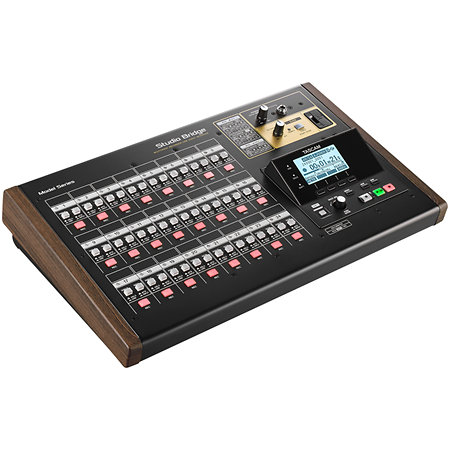
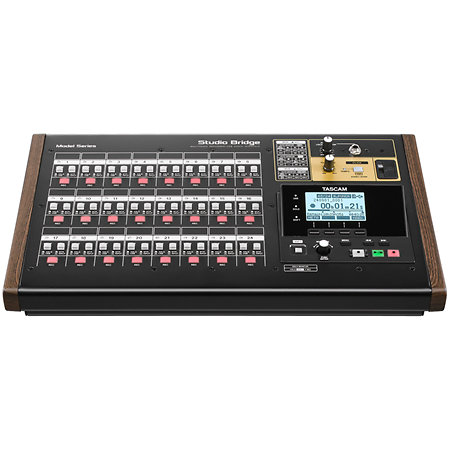
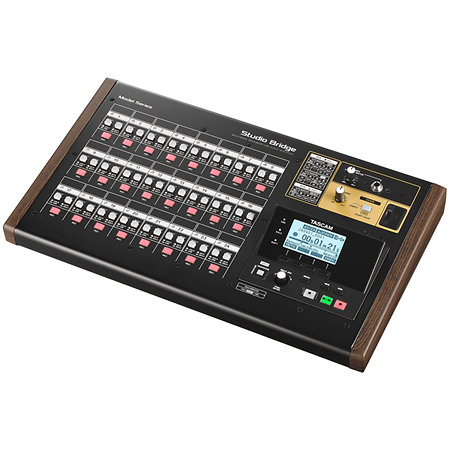


Tascam - Studio Bridge Enregistreur 24 pistes


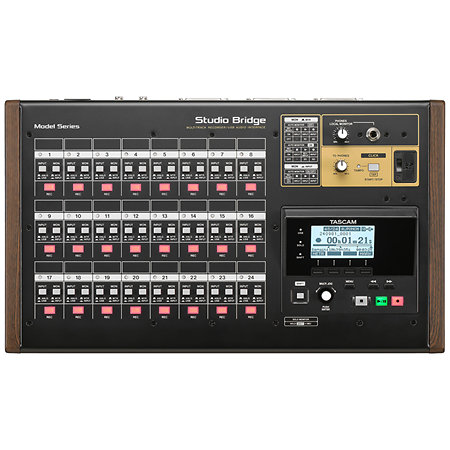
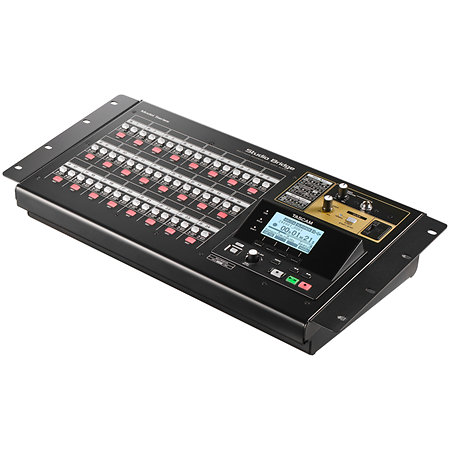
The Tascam Studio Bridge is a multitrack recorder and audio interface that connects the analog and digital worlds, allowing you to record 24 tracks without a computer. It facilitates the integration of analog mixing consoles with modern DAW software, and delivers warm, faithful audio reproduction.
Presentation
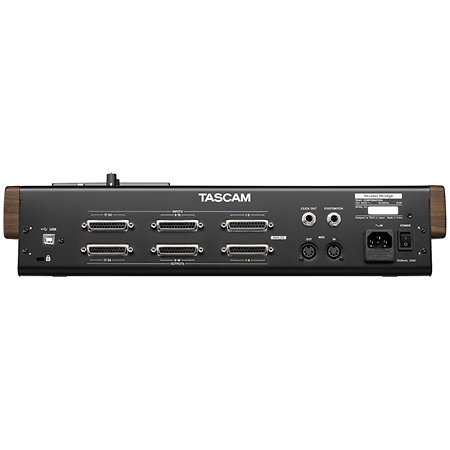
With its 25-pin D-Sub connectors, the Studio Bridge can record and play back up to 24 high-resolution audio tracks. Recording is in WAV (BWF) format, with a sampling rate of up to 48 kHz and a resolution of 16 or 24 bits. This configuration ensures faithful reproduction of the audio signal, without intrusive digital processing, to preserve the warmth of analog sound.
The unit can operate as a standalone unit, without the need for a computer, making it ideal for studio and live recording. It also features a punch-in/punch-out mode for easy editing of specific parts of a recording. An Auto Monitor function makes it easy to follow tracks, automatically switching between the audio input and the recorded signal for efficient monitoring.
The Studio Bridge also includes a 24-channel USB audio interface, allowing seamless communication with DAW software on Windows, macOS and iOS. It supports the HUI/MCU protocol, which allows transport and track arming to be controlled from the device, making recording and mixing even more intuitive.
In addition, the Studio Bridge offers full MIDI connectivity, with dedicated inputs and outputs, as well as a MIDI Time Code (MTC) and MIDI Clock generator. This feature allows you to synchronize sequencers, drum machines and other MIDI devices for more coherent and dynamic music production.
With its rugged design, internal power supply and rack-mountable format, the Tascam Studio Bridge is a reliable and flexible solution for sound engineers and musicians looking to record in the best conditions while maintaining the authenticity of analog sound.
Features
Other features
-
Tascam StudioBridge
-
Multitrack recorder
-
24-track standalone recorder with punch-in/out function
-
Integrated USB audio interface with 24 inputs/24 outputs
-
DAW compatible with transport control via HUI/MCU protocol
-
Full MIDI interface with inputs/outputs, MIDI Clock and Time Code
-
WAV (BWF) recording format, 44.1/48 kHz, 16/24 bits
-
SD card storage up to 512 GB
-
Analog connection via 24 inputs and 24 line outputs (Sub-D 25)
-
Dedicated headphone output with volume control
-
Metronome click output for synchronizing musicians
-
Remote control via footswitch pedal inputs
-
19-inch rack mountable with optional mounting kit
-
Windows, macOS and iOS compatible for complete integration
-
Recording:
-
Support: SD, SDHC, SDXC (up to 512 GB, Class 10 minimum)
-
Format: WAV (BWF)
-
Sampling rate: 44.1 kHz, 48 kHz
-
Bit depth: 16-bit, 24-bit
-
Maximum number of tracks: 24
-
Audio connectivity:
-
Headphone output: 6.35 mm stereo jack, 2 × 80 mW
-
Metronome click output: 6.35 mm TRS jack
-
Interface and control:
-
USB port: USB 2.0 ‘High Speed’
-
MIDI interface: 5-pin DIN (input and output)
-
Footswitch pedal inputs: 2 x 6.35 mm TRS jack
-
Computer compatibility:
-
Windows: Windows 10/11
-
Mac: macOS Ventura, Sonoma
-
iOS: iOS 16/17
-
Power supply and dimensions:
-
Power supply: 100–240 V, 50/60 Hz
-
Consumption: 20 W
-
Dimensions: 447 × 270 × 115 mm
-
Weight: 4.5 kg
Spotlight on

Tascam has been part of the pro audio landscape for decades. They were responsible for the creation of the very first multitrack cassette recorder, which was adopted by many artists including Bruce Springsteen! Today, Tascam offers a wide range of recording equipment, from US-42B portable digital studios, to DR-40X portable recorders, HR audio interfaces and Model series mixers. Easy to use, Tascam products allow beginners to learn about mixing and recording, while professionals can easily maximize their potential. The ability to record from start to finish makes it easy for musicians to get their music out on a large scale.